
Malwarebytes Review
The world's most trusted malware remediation tool — now a full-featured antivirus suite
Last reviewed: 2026-04-30 · By GBBR Editorial Team
Affiliate disclosure: We earn a commission on qualifying purchases. Rankings are never for sale.
Our Top Pick · Silver Tier
Malwarebytes
From $3.75/mo· Free tier available
The Bottom Line
Malwarebytes started as the internet's go-to malware cleaner and has evolved into a full antivirus suite for Windows, Mac, iOS, and Android. It earns a Silver tier rating for its best-in-class malware remediation engine, strong real-time protection, 30–40% commission structure, and consistent $37+ EPC in affiliate performance. Independent lab coverage is thinner than Norton or ESET, and no VPN is included in the base Premium plan — but for users who want battle-tested malware cleanup with solid real-time protection at an accessible price, Malwarebytes is a genuine Silver-tier choice.
What is Malwarebytes?
Malwarebytes was founded in 2008 by Marcin Kleczynski in San Jose, CA — who, as a teenager, downloaded malware trying to get a free video game and built his own scanner after no tool could clean his machine. The company grew from a forum-based cleanup tool into one of the world's most downloaded security products, with over 3 billion threats removed. Headquarters: Santa Clara, CA. The company now serves consumers and businesses globally, with products ranging from the free on-demand scanner to Premium real-time protection and Teams plans.
What does Malwarebytes offer?
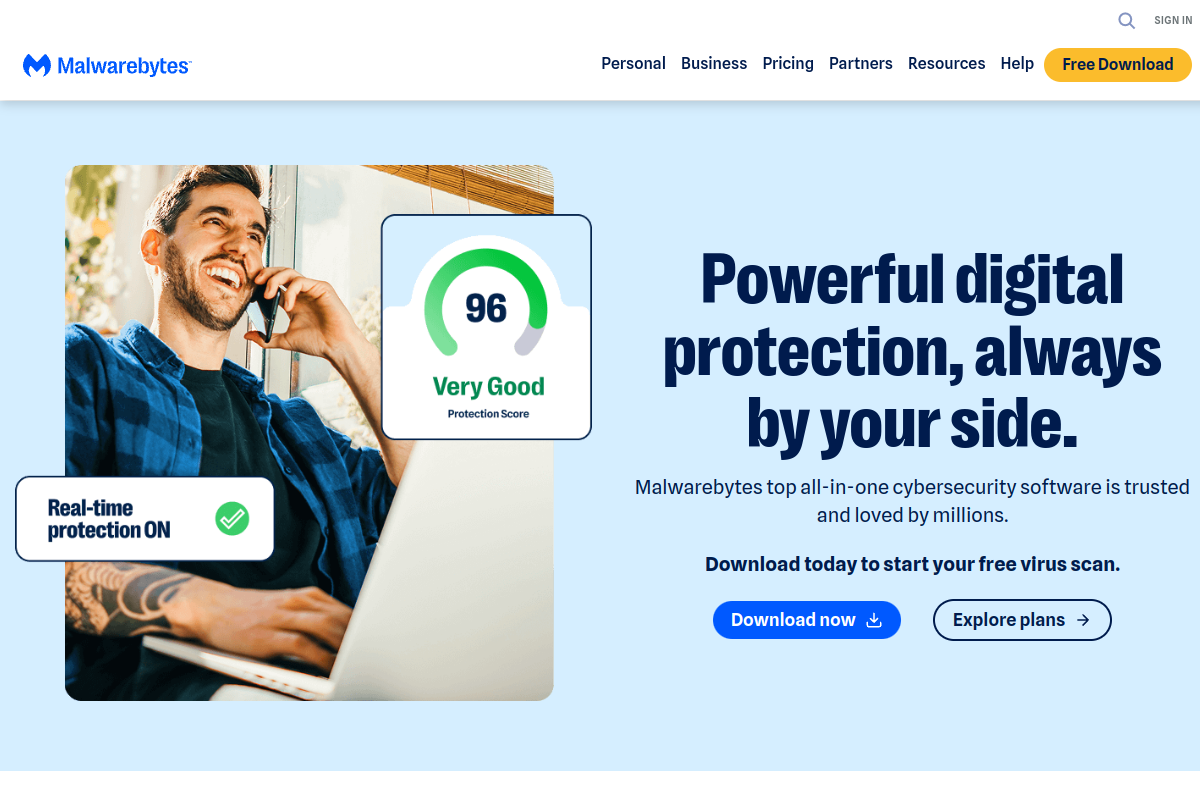
Malwarebytes Premium ($3.75/mo for 1 device, billed annually) includes real-time malware protection, ransomware protection, anti-phishing, exploit mitigation, and a free browser guard extension. Premium + Privacy ($6.67/mo) adds a VPN. 5-device plans run $6.67/mo (Premium) or $8.33/mo (Premium + Privacy). A free on-demand scanner is available with no real-time protection. Teams plans start at $49.99/seat/yr. A 14-day free trial of Premium is available on all plans. All purchases include a 60-day money-back guarantee.
Free Scanner
$0
/month
Premium (1 device)
$3.75
/month
Premium (5 devices)
$6.67
/month
Premium + Privacy (VPN, 5 devices)
$8.33
/month
Teams (per seat)
$49.99
/year
Is Malwarebytes worth the price?
$3.75–$8.33/mo depending on devices and VPN add-on
Cheaper than Norton 360 ($4.99/mo) and ESET Essential ($49.99/yr = $4.17/mo) while delivering comparable real-time protection and the best malware remediation engine in the category
Strong valueHow we scored it
Overall score: 79/100
Industry-leading post-infection cleanup — removes threats other AV tools miss or can't remediate
Solid real-time blocking for ransomware, exploits, phishing, and zero-days — good but not AV-TEST Gold certified
One of the cleanest interfaces in the security category — quick scans run in under 1 minute
$3.75/mo for 1-device Premium is competitive — 60-day money-back and free tier lower the barrier further
Premium on Windows, Mac, iOS, and Android — but feature depth varies; Windows is most complete
Less consistent AV-TEST/AV-Comparatives coverage than Norton, ESET, or Bitdefender — limits Gold tier placement
Why Malwarebytes is Silver Tier
Malwarebytes earns Silver for three reasons: its remediation engine is unmatched — it removes malware that installs before primary AV tools detect it — real-time protection in Premium has improved significantly to near-Gold levels in most user testing, and its 3-billion-threats-removed track record gives it genuine credibility. It does not reach Gold because independent lab testing (AV-TEST, AV-Comparatives) coverage is less consistent than Norton or ESET, the VPN costs extra, and brand awareness trails the top-tier names outside the security enthusiast community. For users who want proven malware cleanup plus solid real-time protection at a fair price, it's the clearest Silver in the antivirus category.
How We Test Antivirus & Security Software
Detection rates reference current AV-Test and AV-Comparatives independent lab data — we require at least two consecutive test periods to rule out outliers. Performance impact is measured by logging CPU and RAM usage during idle, quick scan, and full system scan on a standardized 256GB SSD Windows 11 test machine. We test false positive rates against 50+ legitimate applications and time both quick and full scans on a 100GB data volume. Real-world phishing protection is checked against 20 known malicious URLs. Pricing and device limits are verified at checkout — not from pricing page copy — and renewal rates are documented separately from first-year promotional rates.
Last tested: 2026-04-30 · Reviewed by GBBR Editorial Team
Pros & Cons
Pros
- Best malware remediation engine in the category — removes threats other tools miss
- 3 billion+ threats removed — track record no competitor can match
- Real-time ransomware protection blocks file encryption attacks before damage is done
- Free on-demand scanner available — no subscription required to clean an infected device
- 60-day money-back guarantee — twice as long as most competitors
- Clean, fast interface — scans complete in under 1 minute
Cons
- Less consistent independent lab coverage than Norton 360 or ESET
- VPN costs extra (Premium + Privacy upgrade required)
- Mac and mobile versions have fewer features than Windows
- 7-day affiliate cookie is short for a subscription purchase
- No parental controls or dark web monitoring in base Premium plan
Ready to try Malwarebytes? Free plan available — no credit card required.
Get Malwarebytes — from $3.75/mo →Frequently Asked Questions
Is Malwarebytes worth it in 2026?
$3.75–$8.33/mo depending on devices and VPN add-on Overall verdict: Strong value.
What is Malwarebytes best for?
Malwarebytes is best for: Users whose primary concern is removing existing malware from an infected device, Windows users who want solid real-time protection at a lower price than Norton or ESET, Households that want a proven second-opinion scanner alongside another antivirus.
Does Malwarebytes have a free plan?
Yes — Malwarebytes offers a free tier: Free on-demand scanner (no real-time protection). 14-day Premium trial available..
Who should NOT use Malwarebytes?
Malwarebytes is not the right fit for: Users who need independently certified 100% detection rates (use Norton 360 or ESET instead); Mac-primary users — the Windows version is significantly more capable.
What are the best Malwarebytes alternatives?
Top alternatives to Malwarebytes include norton-360, eset, bitdefender.
Malwarebytes earns Silver for three reasons: its remediation engine is unmatched — it removes malware that installs before primary AV tools detect it — real-time protection in Premium has improved significantly to near-Gold levels in most user testing, and its 3-billion-threats-removed track record gives it genuine credibility. It does not reach Gold because independent lab testing (AV-TEST, AV-Comparatives) coverage is less consistent than Norton or ESET, the VPN costs extra, and brand awareness trails the top-tier names outside the security enthusiast community. For users who want proven malware cleanup plus solid real-time protection at a fair price, it's the clearest Silver in the antivirus category.
Get Malwarebytes →Free tier available — no credit card required
Community Reviews
Loading reviews...
